Third Party Scripts: Lessons From the Polymarket Hack (2026)

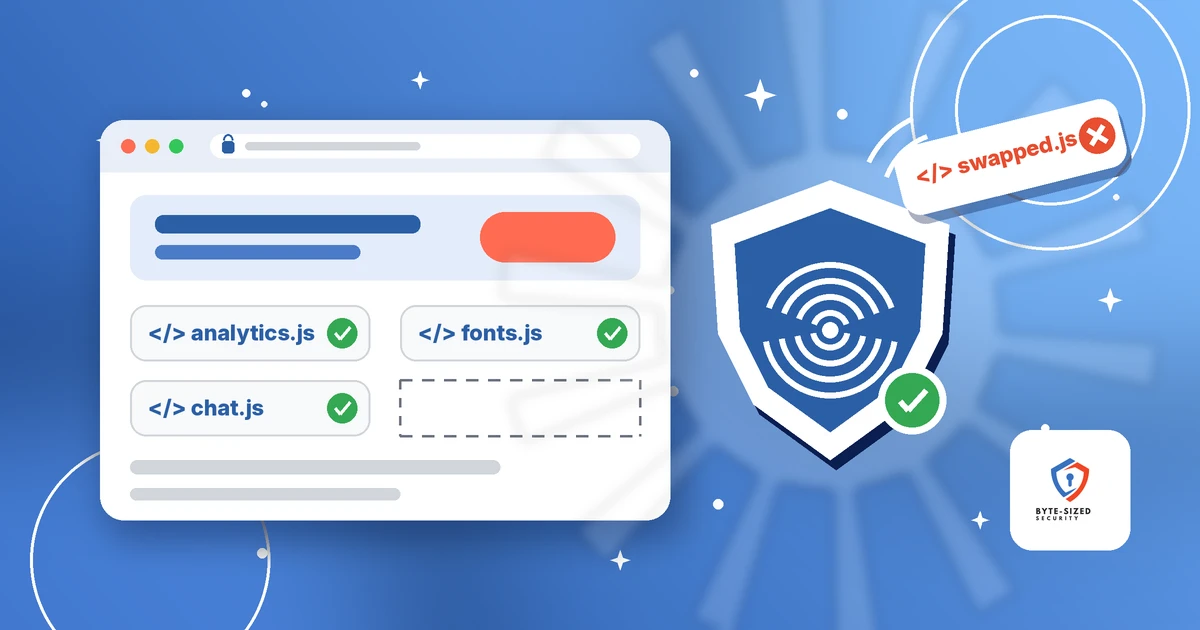
The code measuring how fast Polymarket’s pages loaded ended up selling its users’ bets.
TL;DR: On October 29, 2026, a performance-monitoring script Polymarket loaded from a vendor was swapped for code built to target Polymarket users. Per Polymarket’s status page, it used logged-in users’ active sessions to sell positions and move funds out of their wallets. Researchers traced the file to DebugBear, a web performance company, which told customers to remove its embed code. Polymarket says it is returning $3.9M to traders. The lesson for every site owner: any outside script on your page runs with your logged-in users’ full power, so load fewer of them and limit the ones you keep.
Jump to a section:
- What happened at Polymarket?
- How did a page-speed script move money?
- What has DebugBear said?
- How much was taken, and do the numbers agree?
- Why does an outside script get your users’ full power?
- Does this matter for a small business, nonprofit, or blog?
- How do you inventory and cut third party scripts?
- What is a Content Security Policy, and where does it fall short?
- What is Subresource Integrity, and when does it fit?
- Should you self-host third party scripts?
- How do you spot an unexpected script change?
Most websites run code their owners never wrote. An analytics tag, a chat bubble, a speed tracker: each is a third party script, JavaScript your page pulls from another company’s server on every visit. Below, I cover what the sources confirm, where they differ, and five habits any site owner is able to start this week.
What happened at Polymarket?
A vendor’s performance script on polymarket.com was replaced with code targeting Polymarket users. It used open sessions to sell positions and drain wallets. Polymarket paused trading for about an hour and says it is refunding affected traders.
Polymarket is a prediction market. On October 29, Polymarket’s status page logged “unauthorized activity affecting user wallets” at 5:38 PM UTC. At 6:05 PM UTC the exchange went into cancel-only mode, meaning traders were able to cancel orders but not place new ones. Then, at 6:37 PM UTC, Polymarket posted the first explanation, writing: “One of our third party providers was compromised, and we have referred this to relevant law enforcement. Anyone who has been impacted will be made whole.” The incident was marked resolved at 7:05 PM UTC, about an hour after the pause began.
The next day, Polymarket’s postmortem on the same page said a vendor’s “performance-monitoring script loaded on polymarket.com was compromised,” and for some people with the site open, the replacement “used their active session to sell positions and move funds out of their wallet.”
Polymarket’s statements do not name the vendor. BleepingComputer reported Hudson Rock, a security research firm, found the malicious file at cdn.debugbear[.]com/C7xcKKrjUnXK.js, on infrastructure belonging to DebugBear. DebugBear sells real user monitoring, or RUM, a speed-measuring script. Hudson Rock also found Polymarket build metadata reading “chore(polymarket): remove debugbear rum script (#15337)”, timestamped 17:59:20 UTC. Hudson Rock cautions a build time does not prove when the script stopped loading for every visitor, since open tabs and cached copies linger.
How did a page-speed script move money?
The swapped file found the trading tools Polymarket’s own page had already loaded for the signed-in user. It then sold or transferred positions and swept cash to an attacker-chosen wallet, all through Polymarket’s normal channels.
Two teams published static analyses, meaning they read the code without running it: Hudson Rock, and Ohey, a research group Hudson Rock shared its 15,187-byte sample with. Their findings line up:
- It checked for a logged-in trader. The script read three entries Polymarket stores in the browser, including the trading API credentials for the account. Visitors with no login went no further.
- It borrowed the page’s own trading client. Rather than stealing a password, it searched the running Polymarket app for the object placing orders and signing transactions, then used it.
- It took one of two paths. Per Ohey, for accounts connected with a browser wallet, it moved qualifying positions straight to the attacker’s address. For email-login accounts, it sold positions at falling prices, first 97% of the current price, then 50%, then the minimum, and swept the proceeds. Hudson Rock notes this branching means “the script sells everyone’s holdings” would be inaccurate.
- It reported back. It sent wallet addresses, portfolio values, and transfer results to
data.debugbear[.]com, a hostname DebugBear normally uses to collect speed data.
One detail matters for defenders. Ohey reports every other host the drainer called was already on Polymarket’s Content Security Policy, the browser rule listing which outside code and servers a page is allowed to use. So the policy allowed each request. I come back to this below.
What has DebugBear said?
DebugBear confirmed a security incident, told RUM customers to remove its embed code, and says it engaged incident response specialists. It has not said how it was compromised or whether other customers were affected.
DebugBear has posted two statements on X. The first, at 18:00:58 UTC on October 29, reads: “We’re impacted by an ongoing security incident. If you use our RUM product, please remove the embed code from your website.” The second, at 22:16 UTC, says the company is “treating it as a top priority,” has “engaged specialist cyber incident response support,” and “will work with affected customers directly.”
Neither post names Polymarket or explains how the attacker got in. Polymarket’s postmortem states: “The vendor has confirmed the compromise publicly.” DebugBear’s website showed a Cloudflare error to BleepingComputer on October 29 and was still unreachable on October 30.
So here is what is and is not established. Ohey’s archived copies show the script address served DebugBear’s normal code until the morning of October 29, then a different server answered with the drainer after DebugBear’s origin server stopped responding. This points to the attacker controlling what DebugBear’s script address served. It does not tell us how. Hudson Rock states its evidence “does not identify an attacker or demonstrate a wider compromise affecting other DebugBear customers.” The drainer itself only targets Polymarket. Until DebugBear publishes its own account, treat the root cause as unknown.
How much was taken, and do the numbers agree?
Estimates range from about $2.1M to $2.7M, depending on who measured and when. Polymarket’s own figure is $2.7M in drained funds, and it is returning $3.9M including losses from the trading pause.
The figures differ because each source measured something different:
- Hudson Rock read about $2.19 million at the script’s built-in recipient wallet from a supplied screenshot, and says this “is not a verified total of stolen funds.”
- BleepingComputer found the wallet moved about 28.6 million POL, the Polygon network’s token, worth roughly $2.57 million, to three other wallets. Its headline rounds this to $2.5M.
- Ohey counted 28,636,284.45 POL plus position tokens from 33 accounts arriving in 52 minutes, and cites a separate public trace of 2.724M pUSD (Polymarket’s dollar token) from 721 source wallets.
- The Record cited blockchain firms tracing “more than $2.1 million.”
- Polymarket’s postmortem says it is “returning $3.9M to traders: the $2.7M plus $1.2M to cover pause-related losses,” and says 95% of affected wallets were refunded in full as of the afternoon of October 30.
The 33 accounts and 721 wallets measure different things (position senders versus cash sources), so neither is a victim count, and Polymarket has not published one. One more catch from Hudson Rock: the recipient address is only a default, and the script was able to fetch a different one from its configuration server.
Why does an outside script get your users’ full power?
A script tag tells the browser to run the file as if you wrote it. It sees your page, your users’ stored data, and their logged-in session. No password is needed, because the user already signed in.
Here is the core lesson, and it applies far beyond crypto. When your page includes <script src="https://vendor.example/tag.js">, the browser fetches the file and runs it inside your site. It does not run in a separate box with limited rights. MDN’s Subresource Integrity guide names the risk directly: if an attacker gains control of the third-party host, “they can inject arbitrary malicious content into its files (or replace the files completely),” which MDN calls a supply chain attack.
Think of it like handing a contractor a key to your office so they are able to check the thermostat. The key opens every door. A speed tracker, a chat widget, and an ad tag all hold the same key: they read what the user sees, read data your site stores in the browser, and act through the user’s session, the logged-in state set up after sign-in.
This is why two-factor authentication did not help here. It checks identity at login. The Polymarket script never logged in. It used sessions already open, which is why Polymarket’s cleanup included resetting all active login sessions. I made a similar point about AI tools in why your AI agent should not have your permissions: anything running with your access inherits your power, so the fix starts with limiting what it is able to reach. Two-factor authentication still matters, and the 2FA guide explains why. It protects the front door. It does nothing about someone already standing inside the room with your keys in hand.
Does this matter for a small business, nonprofit, or blog?
Yes, if your site has logins, forms, donations, or checkout. Whoever controls one vendor’s file reaches every site loading it. A small site is rarely the chosen target, but it shares the exposure all the same.
Your site likely holds no one’s trading account. You might have a donor form, a member login, a checkout, or an admin dashboard. A swapped script on those pages sees what people type and acts as whoever is signed in, including you.
No source shows any DebugBear customer other than Polymarket was targeted, and the drainer was written for Polymarket alone. The broader point stands: one vendor file, many sites. This is the same supplier problem I covered in third-party risk management in 2026, shrunk down to a single line of HTML. Browser add-ons carry a similar risk on the user’s side, as covered in browser extensions: are they spying on you?.
The good news: the defenses are known, mostly free, and most sites need only a few of them.
| Defense | What it does | Main limit | Effort |
|---|---|---|---|
| Inventory and cut | Removes code you do not need | Only covers what you remove | Low |
| Content Security Policy | Blocks code from hosts not on your list | Still trusts every host on the list | Medium |
| Subresource Integrity | Blocks a file whose contents changed | Breaks on legitimate vendor updates | Medium |
| Self-hosting | Puts updates under your control | You take on patching | Medium |
| Change monitoring | Alerts you when a script changes | Tells you after the fact | Low to medium |
How do you inventory and cut third party scripts?
List every outside script your pages load, write down who owns each one and why, and remove anything nobody uses. Keep scripts off login, checkout, and admin pages unless they are needed there.
Start with what loads today, not what you remember adding. Open the browser’s developer tools (F12 in most browsers), filter the Network tab to “JS”, and note every domain not yours. Check each page type, because plugins and tag managers add scripts in different places.
Then ask three questions for each one:
- Who added it, and does anyone still use the data? Old analytics, abandoned A/B tests, and trial widgets tend to stay forever.
- Does it need to run on sensitive pages? A speed tracker on your blog posts is one thing. The same tracker on your donation or login page holds far more access. Polymarket’s postmortem says it is redeploying third party scripts with sandboxing, which means isolating them from the main page.
- Who at the vendor would tell you about a breach, and how? DebugBear’s warning came through X. Know where your vendors post incident notices.
Every script you remove is one less company whose bad day becomes yours.
What is a Content Security Policy, and where does it fall short?
A Content Security Policy is a browser rule listing which outside code a page is allowed to load. It blocks scripts from unknown hosts. It does not stop a trusted host from serving a bad file.
A Content Security Policy, or CSP, is a header your server sends with each page. Per MDN’s CSP guide, it controls which resources a document is allowed to load, and it is a main defense against cross-site scripting. A typical line looks like script-src 'self' https://analytics.example.com, which tells the browser to run scripts only from your own domain and one named vendor. The full rules are in the W3C CSP Level 3 specification.
CSP earns its place: it blocks scripts from unlisted domains and limits where stolen data goes. Start with the Content-Security-Policy-Report-Only header, which reports violations without blocking anything, so you learn what your site loads before you enforce.
Now the honest limit. A CSP allowlist trusts the hosts on it, whatever they serve. Polymarket allowed DebugBear’s host because it used DebugBear, and Ohey found the drainer’s other calls went to hosts already allowed. The policy worked as written and still let the attack through. CSP narrows the doors. It does not check what walks through an open one.
What is Subresource Integrity, and when does it fit?
Subresource Integrity is a fingerprint check: the browser blocks a script if its contents change. It stops a swapped file cold. It fits only files which stay the same, so scripts vendors update by design need another plan.
Subresource Integrity, or SRI, adds an integrity attribute to a script tag. The value is a cryptographic hash, a fingerprint of the exact file contents. Per MDN and the W3C SRI specification, the browser hashes the file it downloads and refuses to run it if the hash does not match.
<script src="https://cdn.example.com/lib-1.4.2.js"
  integrity="sha384-REPLACE_WITH_REAL_HASH"
  crossorigin="anonymous"></script>
In the Polymarket case, the fingerprints clearly differ. Ohey lists one SHA-256 hash for DebugBear’s clean file (60,493 bytes) and another for the drainer (15,187 bytes). A browser holding the clean hash would have refused the drainer.
The limit is real, though. Ohey’s archive shows the clean file at this address was last modified on October 7, 2026, so the vendor updated it in place. Many monitoring, chat, and ad scripts work this way: same address, new contents whenever the vendor ships. Pin a hash on one of those and it breaks on the next normal update. SRI fits versioned files, such as a library at a fixed version number. For scripts which change by design, the options are to host a reviewed copy yourself, ask the vendor for versioned files, or accept the risk with the other controls in place. Cross-origin files also need the crossorigin attribute and the right server headers, per MDN.
MDN also documents a newer Integrity-Policy header which blocks scripts lacking integrity metadata. Test it in report-only mode and check browser support first.
Should you self-host third party scripts?
Self-host where practical. A copy on your own server changes only when you change it. You take on the job of updating it, and some vendor scripts are not built to run this way.
Self-hosting means downloading a script, reviewing it, and serving it from your own domain. A breach at the vendor’s file server no longer changes your site the same minute, and updates become your decision. Polymarket’s postmortem lists “explicit version pinning” among its new controls, the same idea.
The tradeoffs: you own the patching, so a vendor’s security fix waits for you, and some services break without their own hosted file. For a small site, start with libraries (fonts, frameworks, utilities), then anything on login or payment pages.
How do you spot an unexpected script change?
Record a fingerprint of every outside script you load and recheck it on a schedule. Alert on any new domain or changed file. Pair this with CSP reports so the browser tells you about surprises.
Monitoring will not stop an attack in progress, but it shortens the time to notice. Per Ohey’s timeline, the first funds reached the attacker at 17:10 UTC, and the removal build is timestamped 17:59 UTC, about 50 minutes later. Faster detection means fewer victims.
Practical steps for a small team:
- Save a hash of each script. The
opensslone-liner in MDN’s SRI guide works. Store it next to your inventory. - Recheck on a schedule. A daily scheduled job fetching each script and comparing hashes is enough to flag a swap. Expect alerts for normal vendor updates, and look at each one.
- Turn on CSP reporting. Violation reports show new domains your pages try to reach.
- Watch vendor channels. Follow the status pages and social accounts of every vendor whose code runs on your site.
- Plan the removal path. Know how to pull a script fast, whether a tag manager toggle or a one-line deploy. Per Ohey’s timeline, Polymarket’s removal build came about 30 minutes after users began reporting drained wallets.
The bottom line
A tool meant to measure page speed was turned into a tool for emptying wallets, and it needed no password because it ran inside sessions users had already opened. Polymarket says it fixed the problem, reset sessions, and is refunding traders. DebugBear confirmed an incident. It has not yet explained how it happened, the loss figures vary by source, and the root cause is still open.
The lesson does not depend on those open questions. Every third party script on your site holds the same access as your own code. Load fewer of them, keep them off sensitive pages, list the hosts they are allowed to use, pin what does not change, self-host where it fits, and watch for changes.
Open your site’s Network tab today and count the outside scripts. How many do you recognize?