MCP Security Best Practices After the Mittwald Breach

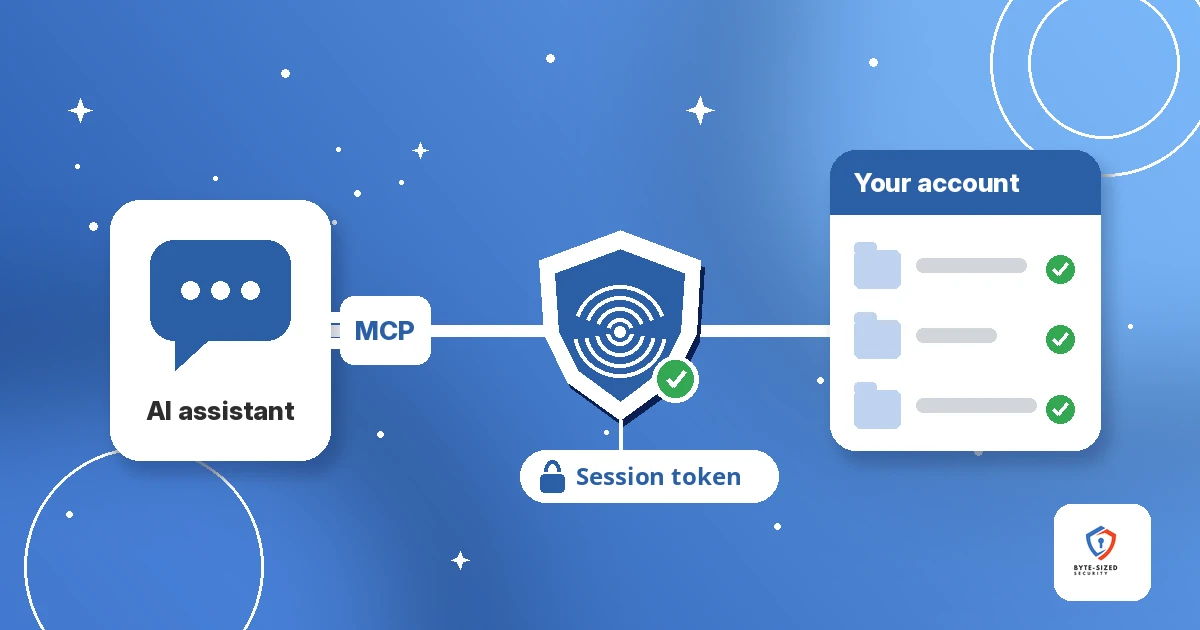
An AI connector built for convenience became the way into 56 customer projects.
TL;DR: German web host Mittwald offered an MCP server, a connector letting customers’ AI assistants manage their hosting accounts. An attacker found a flaw in it, read the session tokens of customers who used it, and compromised 56 customer projects, per Mittwald’s incident report and its FAQ. Mittwald believes the attacker used AI tools, but has offered no proof beyond log timing. The lesson is older than AI. Every connector you expose is a new way in, and a stolen session token skips the password. Treat MCP servers like any other API: scoped tokens, least privilege, logging, and a review before launch.
Jump to a section:
- What happened at Mittwald?
- What is an MCP server?
- What did the attacker steal?
- Did AI tools run the attack?
- Why is every AI connector a new way in?
- What are the MCP security best practices?
- What belongs on an MCP security checklist?
- What should Mittwald customers do now?
- What we still don’t know
AI assistants now plug into email, code, calendars, and hosting control panels. Each one holds access. Mittwald’s breach shows what happens when one of those connectors has a flaw. Below is the timeline, what was stolen, what is still unproven, and a checklist to use before you ship or connect an MCP server.
Update pending: Mittwald says it will publish a detailed account once its analysis and recovery are complete. We will update this post when it is out.
Mittwald’s posts are in German. Quotes marked as The Record’s are The Record’s English translations. Other summaries of Mittwald’s statements are our own translation.
What happened at Mittwald?
An attacker probed Mittwald’s MCP server for about a week, exploited a flaw in it on October 27, and went unnoticed until November 4. Mittwald counts 56 compromised customer projects and shut the MCP server down.
Mittwald is a German hosting provider for web agencies, and The Record reports the attacker went undetected on its systems for eight days. Founder and managing director Robert Meyer laid out the timeline in Mittwald’s incident report, published November 7, 2026:
- October 21: The attacker first tests a vulnerability in Mittwald’s MCP server. Mittwald notes this happened the same evening the IT world was busy with PHP2Shell, the PHP flaw we covered in Check Your PHP Version: The 2024 Bug Behind PHP2Shell.
- From October 23: The attacker moves around the platform as a regular user. He registers test accounts, uses Mittwald’s Extensions, and tries simple injection attacks.
- October 27: He registers another account and, five minutes later, exploits the flaw in the MCP server. Mittwald now treats all data from October 27 onward as compromised.
- November 4: Mittwald spots unusual behavior in one of its systems, locks the attacker’s first account, identifies the MCP server as the entry point, and switches it off. Customer websites stay online.
- November 5: Mittwald blocks projects with traces of the attacker, pauses new account sign-ups, and disables mStudio logins and SSH access to customer projects. It brings in external forensic experts and informs the authorities.
- November 6: Mittwald has forensically reviewed 56 compromised projects and the MCP server. After repeated scans, it finds no further compromised projects and no current attacker activity.
- November 7: mStudio and SSH access come back, while websites Mittwald blocked as a precaution stay blocked for now. Mittwald also now offers passkeys for mStudio logins.
Why did it take a week to notice? Mittwald’s FAQ says the attacker deliberately disguised his preparation with actions resembling normal user behavior. Meyer also said, per The Record’s translation, “the attacker disguised his access attempts and carried out various diversionary tactics.”
What is an MCP server?
MCP, the Model Context Protocol, is an open standard for connecting AI assistants to tools and data. An MCP server is the service-side connector. It turns an assistant’s requests into real actions using the access a customer gave it.
Think of an MCP server as a remote control your AI assistant holds. You point the assistant at the server, sign in once, and the assistant then lists, creates, or changes things for you. Mittwald’s FAQ describes its MCP server as an interface for connecting mStudio, Mittwald’s control panel for websites and hosting, to AI assistants.
The useful part and the risky part are the same thing. The server handled working access for the customers who connected an assistant.
What did the attacker steal?
Session tokens, not passwords. Mittwald says the attacker read the tokens of customers who used the MCP server. Each token opened mStudio with the customer’s rights, including every project the customer had access to.
A session token is the proof a service hands you after you log in, so you stay logged in. Whoever holds the token looks like you to the service. The password and any second factor were already checked when the token was issued, so a thief holding it skips both.
Mittwald’s FAQ is direct about this:
- No passwords were read. Session tokens were.
- A stolen token allowed access to mStudio with the customer’s own rights, and so to every project the customer had access to.
- Only customers who used the MCP server are affected. Mittwald is emailing each affected customer.
- All tokens are revoked. Mittwald also blocked API keys as a precaution.
- Mittwald has found no sign of customer data published online and says it keeps checking.
Stolen sessions keep showing up in breaches for this reason. The same idea drove the Polymarket third-party script incident, where injected code used traders’ active sessions. Strong login protection like two-factor authentication still matters. It protects the login. It does not protect a session after the login is done.
Did AI tools run the attack?
Mittwald believes so, based on log timing. It has not shown other evidence. Scripts also move faster than a human, so treat AI use as Mittwald’s assessment, not a confirmed fact.
Per The Record’s translation, Meyer wrote the company’s logs “show that he worked his way through our system extremely quickly” and that “in some cases, only seconds passed between steps that would take significantly longer for a human attacker.” Mittwald says this points to AI tools.
The Record adds two caveats. Mittwald provided no other evidence of AI involvement. And the company did not immediately respond when asked how it tells AI tools apart from ordinary scripts, which also let attackers move faster than a person.
For defenders, the answer changes less than the headline suggests. An attacker who moves in seconds, with AI or with a script, outruns any team waiting for a human to read alerts. The defenses below work either way.
Why is every AI connector a new way in?
A connector adds a new door to your service with its own code, its own login handling, and stored access for many users. A flaw in the door puts every account behind it at risk.
Before the MCP server, an attacker who wanted a Mittwald customer’s projects needed the customer’s login. The MCP server changed the math. It sat in front of mStudio and handled working tokens for the customers who connected an assistant. A flaw in it exposed the tokens of the customers using it. The attacker started as an ordinary registered user and, through the connector, reached access no ordinary user has.
We described the pattern in Your AI Agent Shouldn’t Have Your Permissions. AI tooling tends to inherit broad access because it is convenient, then nobody scopes it down. AI Agent Governance Lessons From OpenAI’s Australia Breach showed the same gap from the other side, with an agent reaching data it was never meant to touch.
Nothing about this is unique to AI. A connector is an API. It needs the same authentication, authorization, and review as any other API you expose to the internet.
What are the MCP security best practices?
Treat the MCP server as an API. Accept only tokens issued for it, grant the smallest scopes possible, check every request against the caller, keep per-user access separate, log everything, and review it before launch.
The protocol’s own MCP security best practices page covers most of this. The OWASP API Security Top 10 covers the rest, because an MCP server is an API with an AI client.
Accept only tokens issued for your MCP server. The MCP guidance says servers “MUST NOT accept any tokens that were not explicitly issued for the MCP server.” It calls passing a client’s token straight through to a downstream API an anti-pattern, because it bypasses rate limits, validation, and audit trails.
Start with minimal scopes. The same page recommends a least-privilege model: a small initial set of low-risk, read-only scopes, then step-up requests only when a privileged action comes up. It lists wildcard scopes such as * or full-access as a common mistake. A narrow token limits what a thief gets.
Check every request, and never treat a session as a login. The MCP guidance says servers implementing authorization “MUST verify all inbound requests” and “MUST NOT use sessions for authentication.” Tie each request to the verified user, not to an ID the client sends.
Keep one user’s access away from another user’s request. Broken object level authorization, where a user reaches someone else’s data by changing an identifier, sits at the top of the OWASP API list. A server holding tokens for many customers needs strict separation between them.
Protect stored tokens like passwords. Keep token lifetimes short, store them encrypted, and make revocation a one-step action. OWASP’s Session Management Cheat Sheet covers session expiry and invalidation in detail.
Log for speed, not only for volume. Mittwald’s own logs showed seconds between some steps, far faster than a person works. Record who asked for each action, through which client, and with which token. Alert when one account moves faster than a person would.
What belongs on an MCP security checklist?
Know every MCP server you run or connect, scope its tokens, test it like an API, log every action, and have a kill switch ready before launch day.
Use this before you launch an MCP server, or before your team connects one:
If you build or host an MCP server
- Inventory it. List every MCP server and AI connector you expose, who owns it, and what it reaches.
- Map the access. Write down which tokens it stores or receives, for how many users, and what each token reaches downstream.
- Scope the tokens. Issue tokens for the MCP server only, with the fewest permissions the task needs. No wildcard scopes.
- Separate tenants. Confirm one customer’s request never touches another customer’s token or data.
- Review before launch. Run a threat model and a penetration test on the MCP server, the same as for any public API. Include the open-source MCP libraries you build on.
- Log and alert. Log every tool call with user, client, and token. Alert on new accounts acting fast, unusual volume, and access across many projects.
- Plan the off switch. Know how to disable the MCP server, revoke every token it issued, and tell affected customers within hours. Mittwald had to do all three at once.
If your team connects an AI assistant to a service
- List what you have connected. Check each service’s connected apps or integrations page.
- Grant the least access offered. Pick read-only when the task allows it.
- Remove connectors you no longer use. An unused connection still holds a live token.
- Turn on two-factor or a passkey for the underlying account.
- Ask vendors the hard questions. Who reviewed the MCP server, what does its token reach, and how fast will they revoke it?
What should Mittwald customers do now?
If you used Mittwald’s MCP server, follow Mittwald’s steps: change your mStudio password, turn on two-factor, check keys and SSH users, and renew third-party credentials stored in your projects.
Mittwald’s FAQ lists these steps for affected MCP users:
- Change your mStudio password.
- Turn on two-factor authentication.
- Check API keys, project tokens, and SSH keys in your projects. Delete entries you do not recognize, and look for SSH users you did not create.
- Renew credentials for third-party services stored in your projects, such as databases, mail, and external APIs.
- Tell the other users of your projects.
Mittwald names unknown SSH users, unknown files in the project directory, and API keys you did not create as warning signs. If you never set up the MCP server and did not get an email from Mittwald, the company says you are not affected based on what it knows now. Mittwald still recommends two-factor for everyone. The MCP server stays offline until Mittwald decides whether to offer it again.
If you run client sites at Mittwald, the FAQ also includes template wording for telling your own customers.
What we still don’t know
Several details are open. We will update this post when Mittwald publishes its full account.
- The flaw itself. Mittwald says the gap was in its MCP server and is closed. The Record says it is unclear whether the flaw sat in Mittwald’s own code or in the open-source MCP libraries.
- What data left. Mittwald says it will contact customers directly if it finds signs files, databases, or mailboxes were accessed.
- The AI claim. So far it rests on log timing alone.
What we do know is enough to act on. If you ship an AI connector, it is an API with access to your customers’ accounts. Review it like one before an attacker does.
Does your team review MCP servers before they go live, or do they ship as a side feature?